How to take effective meeting notes, with a template
By The unfill.io team · · Updated · 6 min read
Short answer
To take effective meeting notes, write down four things and skip the rest: decisions, action items with one owner and a due date, open questions, and the rare line worth quoting word for word. Turn the agenda into your page before the meeting, write outcomes in shorthand during it, and send a clean recap the same day. If nothing was decided, the notes should say so instead of inventing next steps.
Jump to the template
Good meeting notes are short. Knowing how to take effective meeting notes comes down to capturing what changed because the meeting happened: decisions, action items with an owner and a due date, open questions, and the occasional line worth keeping word for word.

What are meeting notes, and how are they different from minutes?
Notes are an informal record for the people who act on the meeting. Minutes are the formal version boards keep.
| Meeting notes | Meeting minutes | |
|---|---|---|
| Purpose | Help people act on what was said | Official record of what happened |
| Audience | Attendees and anyone who missed it | Board or committee members, auditors |
| Format | Shorthand and bullets | Fixed structure, full sentences |
| Covers | Decisions, action items, questions, context | Attendance, motions, votes, approvals |
| Approved by | Nobody | Usually voted on at the next meeting |

What should be included in meeting notes
Good notes tell someone who wasn't there what to know or do now.
- The basics. Meeting name, date, who attended. One line.
- Decisions. One sentence each, plus the reason if it isn't obvious.
- Action items. One owner and a due date each. "Marketing to look into it" is not an action item. "Priya sends the revised quote by Thursday" is.
- Open questions. What was raised but not answered, and who is finding out.
- Context behind the decisions. A budget ceiling, a client deadline, the objection that nearly stalled the deal.
Leave out the back-and-forth and the small talk.
How to take effective meeting notes, step by step
Before the meeting
- Turn the agenda into your page: one heading per item, space under each for decisions and actions.
- No agenda? Ask the organiser what the meeting needs to settle.
- If you want to record, ask everyone first.
During the meeting
Listen for the moments where something changes:
- "OK, let's go with..." is a decision.
- "Can you own that?" is an action item.
- "We'd need to check with..." is an open question.
If an action item has no owner or date, ask: "Who's taking that, and by when?" Running the meeting too? Note decisions and owners only.
After the meeting
Clean up within the hour, put decisions and action items at the top, and send the notes the same day.
Tips for taking better notes during a meeting
- Write outcomes, not topics. "Pricing" says nothing. "Pricing: staying at the current rate until renewal" says everything.
- Keep one line verbatim. When someone says the sentence that explains the meeting, write it exactly, in quotes, with their name.
- Tag the margin. DEC for decisions, ACT for action items, Q for open questions.
- Keep a parking lot for off-agenda topics.
- Can't write the decision in one sentence? Ask. "So are we going with X?"
- Rotate the note-taker. Whoever takes notes speaks less.
- Leave white space for owners and dates.
Tip 2 is the one we'd keep. In a recorded sales-training call that went through unfill.io, the line that mattered was the buyer explaining that it wasn't about the product working. It was about time. Notes would have summarised it away. As a quote slide, it was the most forwardable slide in the deck.

Which note-taking method works best for meetings?
| Method | How it works | Best for |
|---|---|---|
| Outline | Agenda items as headings, outcomes as bullets underneath | Status meetings with a set agenda |
| Cornell | Notes on the right, cue questions on the left, a summary at the bottom | Training sessions and anything you'll review later |
| Quadrant | Page split into four boxes: your to-dos, tasks for others, questions, ideas | Meetings where you own part of the follow-up |
| Mind map | Central topic with branches for related ideas | Brainstorms and planning sessions |
| Slide | Notes written next to each slide of the presentation | Pitches, demos and presentation reviews |
| Parking lot | A separate list for off-agenda topics | Any meeting that tends to drift |
The Cornell system was developed by Walter Pauk, an education professor at Cornell, for students (Cornell's Learning Strategies Center explains the layout).
The Cornell method splits the page in two. By 4pm, so does our attention.

A meeting notes template you can copy
Paste this into a doc. Delete empty sections, except Decisions and Action items: if those are empty, write "none".
| Section | What to write | Example |
|---|---|---|
| Meeting | Name, date, attendees | Q4 planning, Oct 2. Priya, Sam, Lee |
| Decisions | One sentence each, with the reason if needed | Launch moves to Nov 12 so QA gets a full week |
| Action items | Owner, task, due date | Sam: update the launch checklist by Oct 6 |
| Open questions | The question, and who is finding out | Does legal need to review the new terms? Lee to ask |
| Context | Numbers, constraints, quotes worth keeping | "We can't go past $40k this quarter." (Priya) |
| Parking lot | Off-agenda topics for another meeting | Office move timeline |
For a sales call, see how a sales call becomes a follow-up deck and email.
What to write when nothing was decided
Write "Decisions: none" and "Action items: none". Invented action items are worse than none: they send people off to do work nobody agreed to. Instead, record:
- The open questions that blocked a decision, and who is finding out each answer.
- Where each person or team stood, one line each.
- When the decision will be made, if anyone said.
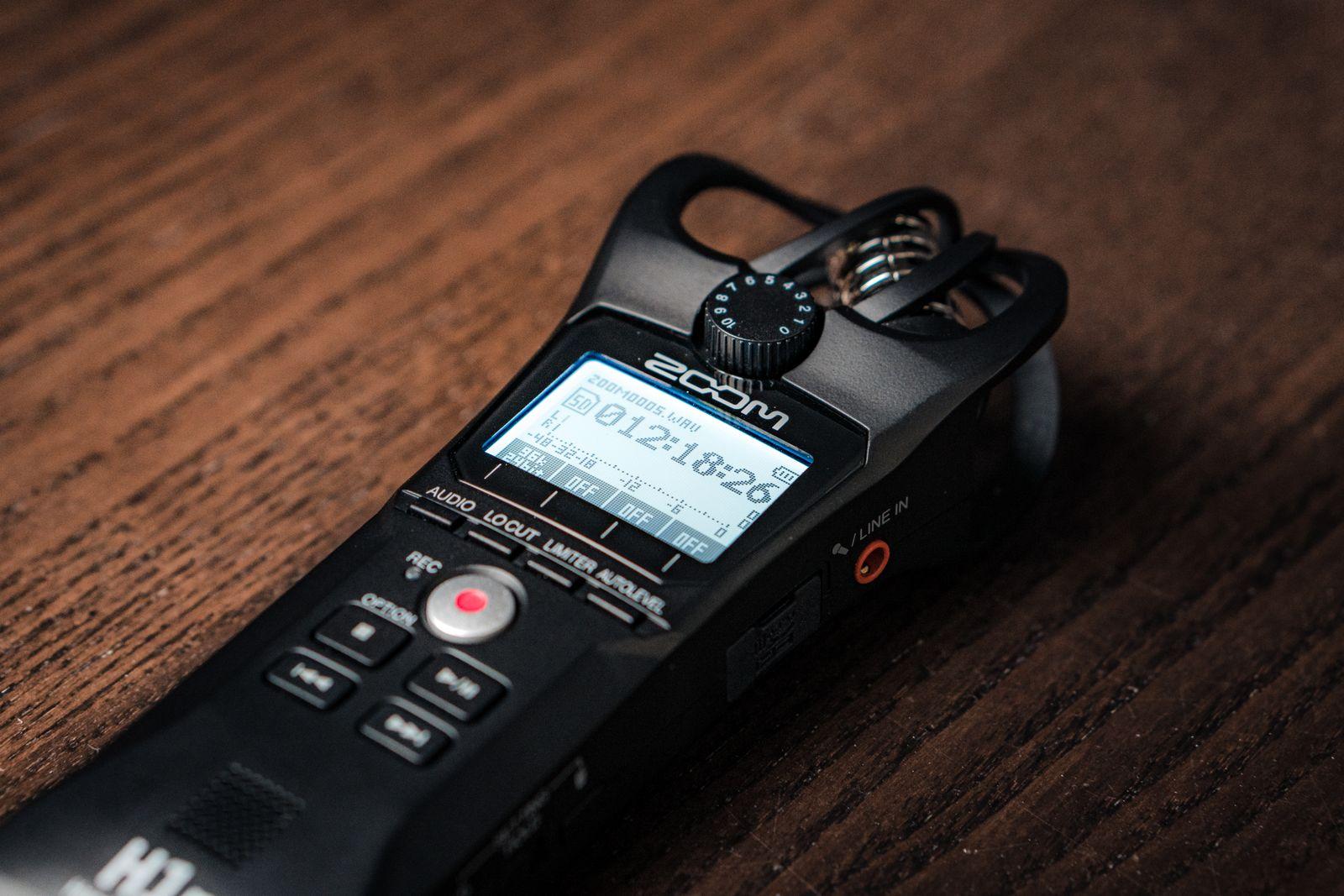
Should you take notes by hand, type them, or record the meeting?
| By hand | Typed | Recorded | |
|---|---|---|---|
| Good at | Staying engaged, sketching | Speed, sharing straight away | Exact wording, nothing missed |
| Weak at | Sharing and searching later | Drifting into transcription | Needs everyone's consent and a write-up afterwards |
| Best for | 1:1s and small meetings | Team meetings with a shared doc | Sales calls, interviews, long or technical meetings |
A recording on its own isn't notes. Someone still has to pull out the decisions and action items, and that's the part unfill.io does:
- Upload the recording (MP3, MP4, MOV, WAV, M4A, WebM, AAC or OGG, up to 500MB).
- It's transcribed and split into timestamped topics. Uncheck what doesn't matter.
- Get an editable PowerPoint, with speaker names you set once. The Meeting recap deck also writes a follow-up email draft.
See what a meeting recap deck looks like, or audio to PowerPoint for voice memos. Try 2 decks free, no card required, and Pro is $19/month. On Zoom? Download the file first (Zoom's guide to computer and cloud recording shows where it's saved); unfill.io takes the file, not the meeting link.
When unfill.io isn't the right tool: notes during the meeting. There's no live recording, no calendar bot, and no Zoom, Meet or Teams integration. If you need minutes as a Word doc or PDF, it's the wrong output, because it makes PowerPoint. And for a 15-minute standup, a notebook beats any upload.
Questions
What is the difference between meeting notes and meeting minutes?
Notes are an informal record for the people who need to act. Minutes are a formal record of attendance, motions and votes, kept by boards and approved at the next meeting.
Should meeting notes be written word for word?
No. Paraphrase, and write each decision and action item in one sentence. The exception is a line worth quoting exactly, in quotes with the speaker's name.
How do I take notes while running a meeting?
Track decisions and owners only, and fill in the rest straight after. For long meetings, ask someone else to take notes, or record with everyone's permission.
How soon should I send meeting notes?
The same day, ideally within an hour, with decisions and action items at the top.
What are the 5 R's of note-taking?
Record, Reduce, Recite, Reflect and Review, from the Cornell note-taking system developed by Walter Pauk.
What should meeting notes say if nothing was decided?
"Decisions: none" and "Action items: none", followed by the open questions, who is finding out each answer, and when the decision will be made.
Can AI take meeting notes for me?
unfill.io works from the recording after the meeting: uncheck the topics that don't matter and get an editable PowerPoint recap plus a follow-up email draft. It doesn't record meetings live.
Turn a recording into an editable deck
Try 2 decks free, no card required. Editable PowerPoint. No watermark.
- No card required
- Files auto-delete